slothub Mobile App
We offer slothub across Android, iOS, and web browsers so you can access football markets, live-dealer tables, slots, and esports from any device. Mobile-first design means faster load times, offline caching for game data, and push notifications for Liga 1 fixtures and promotional updates. Whether you prefer a native app or browser access, slothub adapts to your device and connection speed.

- SHA256 Match
- StartFirst Game
- LoginOTP Verification
- Installin
Our Android APK installs directly on your device without requiring Google Play Store access. iOS users access slothub through a mobile-optimized web app in Safari or Chrome. Both paths offer the same account, balance, and game library—your progress syncs instantly across devices. We prioritize security and data protection on every platform.
This page walks you through installation on Android and iOS, explains app vs browser trade-offs, covers device compatibility, and addresses common setup issues. We also detail what permissions we request and how we protect your account data on mobile devices.
How to Access slothub on Your Device
We provide three ways to access slothub: Android APK download, iOS web app, and desktop/mobile browser. Choose the method that suits your device and preferences. All three paths connect to the same account and game library.
Android APK Installation
Android users download the slothub APK file directly from our website. This method bypasses Google Play Store restrictions and gives you immediate access to all games and markets. The APK is signed and verified for security. Installation takes two minutes and requires enabling "Unknown Sources" in your device settings.
iOS Web App
iPhone and iPad users access slothub through Safari or Chrome. We provide a mobile-optimized web app that behaves like a native app—it caches data locally, sends push notifications, and works offline for cached games. No App Store approval needed. Simply bookmark slothub or add it to your home screen for quick access.
Web Browser (Desktop & Mobile)
Any device with a modern browser can access slothub. Desktop users get the full interface with larger screens. Mobile browsers automatically adapt to your screen size. No installation required—just visit slothub.vip and log in.
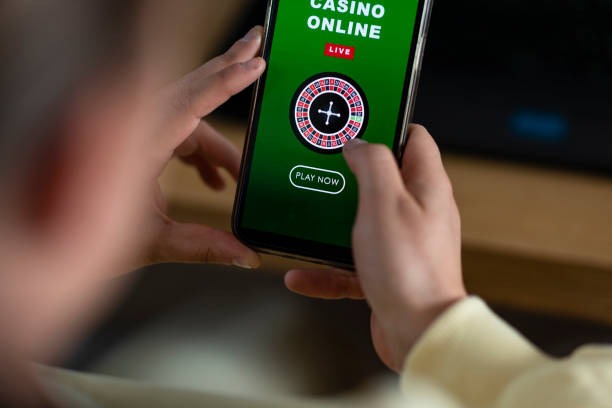
Step-by-Step Installation Guide
- Download: Visit slothub.vip on your Android device, tap the APK download button, and save the file to your device storage.
- Enable Installation: Go to Settings → Security → Unknown Sources and toggle it on to allow installation from sources outside Google Play.
- Install: Open your file manager, find the slothub APK file, tap it, and follow the on-screen prompts to complete installation.
- Launch & Register: Open the slothub app, create your account with email and mobile number, verify your identity, and make your first deposit via DANA, e-wallet, mobile banking, or local payment.
iOS users: add slothub to your home screen
Open slothub in Safari, tap the Share button, select "Add to Home Screen", and name it "slothub". The web app will launch like a native app and work offline for cached content.
App vs Browser: Which Should You Choose
The slothub app offers several advantages over browser access. Native apps load faster because they cache game assets locally—you see your account balance and available markets instantly. Push notifications alert you to Liga 1 kickoff times, Piala Indonesia draws, and promotional offers without opening the app. The app works offline for cached games, so you can browse your account even without internet. App-based sessions are more stable on slower connections because the app manages bandwidth more efficiently than browsers.
Browser access requires no installation and works on any device with a modern browser. You avoid storage space concerns and can switch devices instantly. Browser sessions are stateless—closing your browser clears your session for security. If you prefer simplicity and don't want to manage app updates, browser access is ideal.
Most users install the app for daily use and keep browser access as a backup. Your account and balance sync instantly across both, so you can switch freely.
Device Compatibility & Requirements
Android devices running version 7.0 or later support the slothub APK. Older devices may not install the app, but you can still access slothub via browser. iOS devices running version 12.0 or later support the slothub web app. We recommend at least 100 MB of free storage for the Android app and a stable internet connection (WiFi or 4G/5G).
Tablets (iPad, Samsung Galaxy Tab) work with both the app and browser. Larger screens display more game options and market details, making tablet access ideal for detailed analysis before placing a wager.
Troubleshooting Common Installation Issues
If your Android device blocks the APK installation, verify that "Unknown Sources" is enabled in Settings → Security. Some devices require you to enable installation from a specific app (like your file manager or browser). If the APK fails to download, try a different browser or WiFi network. If the app crashes after installation, clear the app cache (Settings → Apps → slothub → Storage → Clear Cache) and restart your device.
For iOS users, if the web app doesn't send notifications, check that Safari has permission to send notifications (Settings → Notifications → Safari). If the web app is slow, clear your browser cache (Settings → Safari → Clear History and Website Data) and reload slothub. If you cannot add slothub to your home screen, ensure you are using Safari (not Chrome) and that your iOS version is 12.0 or later.
If you encounter login issues on any platform, verify your email and password are correct. If you forgot your password, use the "Forgot Password" link on the login screen. If you still cannot access your account, contact our support team via email or live chat.

App Permissions & Account Security on Mobile
The slothub app requests permission to access your device's camera (for identity verification during KYC), microphone (for live-dealer chat), location (to verify jurisdiction eligibility), and contacts (optional, for referral invitations). We use these permissions only for the stated purposes and do not share them with third parties. You can revoke any permission in your device settings at any time.
We encrypt all data transmitted between your device and our servers using HTTPS. Your account credentials are never stored on your device—you log in each session. We support biometric login (fingerprint or face recognition) for convenience, but your password remains the primary authentication method. If you lose your device, log into slothub from another device and change your password immediately. Your account will be secured and your balance protected.
We do not track your location beyond what is necessary to verify jurisdiction eligibility. We do not access your contacts, photos, or other personal files. We do not sell your device data to advertisers. Your privacy on slothub is protected by the same standards as our website.
App Strengths
- Faster load times with local caching
- Push notifications for Liga 1 and promotions
- Works offline for cached games
Browser Strengths
- No installation required
- Works on any device instantly
- No storage space needed
Support for Mobile Access Issues
If you encounter problems installing or using slothub on mobile, our support team is available via email and live chat in English. Describe your device (Android or iOS), the specific issue you are facing, and any error messages you see. We respond to mobile support requests within one business day and can often resolve issues remotely by guiding you through troubleshooting steps.
We continuously update the slothub app to improve performance, add new games, and fix bugs. Check your device's app store or our website regularly for updates. Keeping your app current ensures you have access to the latest features and security patches.
We design slothub for mobile-first use because most of our users access football markets, live-dealer tables, and slots from their phones. Our app and web interface are optimized for speed, security, and ease of use on any device.